Monday, May 05, 2014

Keeping the UCS icon in its place


Tip 6 of the CAD


Keeping the UCS icon in its place


By default, AutoCAD always displays the UCS icon at the drawing origin (0,0) unless the origin is off screen, in which case, the UCS icon sits quietly in the bottom left-hand corner of the drawing area.


If you find the UCS icon distracting when it's floating in the middle of the screen, you can force it to be displayed in the bottom left-hand corner using the ucsicon command.

Enter an option [ON/OFF/All/Noorigin/ORigin/Properties] <ON>:

Use the "Noorigin" option to force the icon into the bottom left corner and the "ORigin" option to set it back to the default.
See the UCS Icon tutorial for more details.

Thursday, May 01, 2014

Non-Traditional Casting Process | Special casting methods |Unusuall casting | Different casting processes


Non-Traditional Casting Process | Special casting methods |Unusuall casting | Different casting processes
 

Sand moulds are mainlly used for casting ferrous and non-ferrous metals, as these moulds can be used only once, thus the mould has to be destroyed after metal has solidified into needed shape . This increase the cost of production.

Sand moulds also, do not maintain the tolerance and smooth surface finish. In order to meet these requirements, these casting method may be use:

1: Permanent Mould Casting

A casting made by pouring molten metal by gravity into a mould made of some metallic alloy or other material of permanence is known as permanent mould casting.


2: Slush Casting

The slush casting is a special application involving the used of permanent mould. It is used for casting low melting temperature alloys. This method is only adopted for ornaments and toys of non-ferrous alloys.

3: Die Casting

The die casting (also known as pressure die casting) may be defined as that casting which uses the permanent mould(called die) and the molten metal is introduced into it by means of pressure, following are two type of die casting machines commonly used for die casting:

         (a) Hot chamber die casting machine

In a hot chamber die casting machine, the melting pot is an integral part of the machine. The molten metal is forced in the die cavity at pressure from 7 to 14 MPa. The pressure may be obtained by compressed air or by hydraulically operated plunger. The hot chamber die casting machine is use for casting zinc, tin, lead and other low casting melting alloys.

        (b) Cold chamber die casting machine

In a cold chamber die casting machine , the melting pot is usually separate from the machine and the molten metal is not transferred to injection mechanism by ladle. The pressure on the casting metal may vary from 21 to 210 MPa and in same cases may reach 700 MPa. This process is used for casting aluminum, magnesium, copper, brass alloys and other high melting alloys.

4: Centrifugal Casting

A casting process in which the molten metal is poured and allowed to solidify while the mould is revolving, is called centrifugal process. The casting produced under this centrifugal force is called centrifugal casting. This process is especially designed for casting of symmetrical shape. The ferrous and the non-ferrous metals can be obtained by this process. The casting produced by this process have dense and fine grained structure.

5: Investment Casting

It is also known as lost wax process or precision casting. The casting produced by this method are within very close tolerance (±0.05mm).

6: Shell Moulding Process

The shell moulding process is also called croning process. The shell cast part can be produced with dimensional tolerance of ±02 mm.

7: Pressure casting
8: Continous casting


Monday, April 28, 2014

Tab through commands


Tip 5 of the CAD


Tab through commands

This tip works begining with AutoCAD 2006:
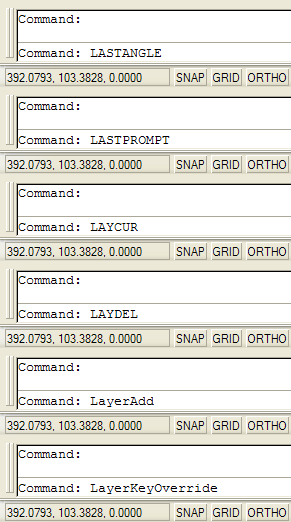
Command TabAt the command line, type the first letter of the command you wish to start. Do not press Return(ENTER); instead, press the TAB key repeatedly and watch as AutoCAD runs through an alphabetical list of all commands, beginning with the letter you first typed. When the right command appears in the command line, press Return to start it.
This isn't a very efficient way to invoke a command but it's a great way of finding commands you never knew existed; try it yourself and you will discover that AutoCAD has a lot of commands…
Also, you can press SHIFT+TAB to walk back through the list.

Monday, April 21, 2014

Shift for fillet radius zero in CAD


Tip 4 of the CAD


Shift for fillet radius zero


Do you get fed up having to set your Fillet alternately to a radius value and then to 0 to get a right angle?
You don't have to! Just fillet your lines while holding down SHIFT and the current default fillet radius value will be ignored.

Monday, April 14, 2014

Object snap tracking in CAD

Tip 3 of the CAD

Object snap tracking


Finding the centre (centroid) of a square or rectangle used to require the use of at least one construction line but with object snap tracking, the same point can be found without having to draw any other objects.
This technique relies on the fact that "Midpoint" is set as one of your running object snaps and that polar tracking (POLAR) and object snap tracking (OTRACK) are on. Say you have a square and you want to draw an inscribed circle. Start the circle command and then hover the cursor over one of the vertical sides of the square until the midpoint snap icon appears. Move towards the centre and a dotted tracking like will appear. Next, hover the cursor over one of the horizontal sides of the square until the midpoint icon appears, again, move towards the centre of the square. This time, when you get close to the centre, both horizontal and vertical tracking lines appear and you can snap to the intersection simply by left-clicking. Finish the circle by snapping to any midpoint.

Monday, April 07, 2014

Quick Extrusions with Presspull in CAD

Tip 2 of the CAD
Quick Extrusions with Presspull

As of AutoCAD 2007, there's no need to draw closed shapes before extruding. The Presspull tool will find any enclosed area (just like BHATCH) and extrude it.
Any objects can be used as boundaries; lines, circles, splines, they all work. This makes building 3D solid models much quicker than before.

Sunday, April 06, 2014

Learn AutoCAD: Four Easy Steps For Beginners


Learn AutoCAD:
Four Easy Steps For Beginners

 Step 1 : Learn the navigation (The AutoCAD Interface) ;

In fact,in CAD applications before starting to preparea design , you need to understand the interface. The drop-down menu list (that  is in the upper left corner), easy access to mess can be seen .

This feature of menu allows you to save Working files, open saved documents and complete a number of other important commands. You must also aware yourself with the Steering-Wheels tool, which zooms, orbits and pans your created image. Check out the InfoCenter, where you can perform keyword searches and obtain product announcements, as well as information from various RSS feeds. Look for additional assistance in navigating the AutoCAD interface (AutoCAD Tutorial ).


Step 2 : Master The Line Command ;

Now that you know where the various AutoCAD tools are located, it’s time to learn a few basic commands. The overarching AutoCAD function involves the line command. This allows you to form either a single straight line or a chain of lines. This command can be found on the draw toolbar or under the draw menu. You can learn about the shortcuts for accessing the line command in Autodesk Autocad.


Step 3 : Utilize Cartesian Coordinates ;


AutoCAD operates under a system of coordinates which, while initially confusing, ultimately provides for enhanced accuracy. If you’ve ever taken a pre-calculus course, you will immediately recognize the familiar Cartesian coordinates. And if you skipped pre-calc in high school or college, no worries —you should still be able to navigate this setup with little effort. You can see a thorough explanation of AutoCAD’s Cartesian coordinates in Learning AutoCAD 2014 Drawing Essentials.


Step 4 : Complete A 3 Point UCS Command ;


AutoCAD’s coordinate system is referred to as UCS, or User-Coordinate System. To operate the UCS, look in the toolbar for an icon featuring a small square with two attached arrows. You can also access the UCS function by visiting the pull-down menu and selecting the option marked ‘tools.’ Continue in the UCS menu to the option labeled ’3 Point.’ Here, you can select three separate coordinates in space and use them to form shapes. The first point, otherwise known as the origin, places the intended shape in a specific spot on the coordinate plane. Following shape placement, determine the size of the shape by designating coordinates on the X axis and the Y axis. Get additional specifications for 3D AutoCAD shapes in Learning AutoCAD – 3D Modeling And Rendering. In AutoCAD, a few simple commands allowyou to create a vast world of 2D and 3D designs. It’s worth taking a little time to master AutoCAD basics — the investment’s returns are beyond measure.


Tip 1 of the CAD
Absolute and Relative Coordinates

Coordinate
Interpretation
25,75
depends on context
@25,75
relative
#25,75
absolute


It used to be very simple. Enter a coordinate and AutoCAD interpreted it as an absolute coordinate. Enter a coordinate preceded by "@" (the at sign) and AutoCAD interpreted it as a relative coordinate. This simple rule changed when dynamic input was introduced and now the interpretation of coordinates is contextual. For example, when you draw a rectangle using RECTANG, the coordinate for the second point is interpreted as absolute with dynamic input turned off and as relative with dynamic input turned on. Really, try it and see.
Fortunately, there's a new coordinate prefix that forces an absolute coordinate, even when AutoCAD decides you want a relative one. Precede any coordinate with "#" (the hash sign) to force an absolute coordinate.


Sunday, February 23, 2014

Aero-gel | Lightest Material in world | Aerogel (Lighter Than Air )| Airgel Insulation


Aero-gel | Lightest Material in world | Aerogel (Lighter Than Air )| Aerogel Insulation | Air-gel cover | Amazing material

Aerogel, Latest Automobile Technology, Latest Automotive Technology, Material Science &
Metallurgy


Air-gel or Aerogel is a very special foam type which is almost 99.8% air.Nicknamed as :
~frozen smoke,
~solid smoke or
~blue smoke (due to its translucent nature and
the way light scatters in the material);
however, it feels like exploded polystyrene (Styrofoam) When touched.

 It (Aerogel) is a low density solid state
material originated from gel in which the liquid Particals of the gel has been replaced with gas. As a result is an extremely low density solid with many remarkable properties(most notably its effectiveness as a thermal insulator).


Aero-gels are solid, but could be less denser then air. Insted of their sparse(unusual) molecular structure aerogels are quit strong.

Firstly invented by Samuel Stephens Kistler, in 1930's ,but initially it was very brittle and couldn't be shaped as desired.

Aerogels were highly
expensive and challanging to manufacture, and
are difficult to handle as well.


Now a team of
scientists has found a way to make it more
flexible ( so that it does not break as easily as before). This discovery opens a lot of ways in which it can
be used to solve bigger problems of material science.

Properties:
1. Extremely low density
2. Very good thermal insulator
3. High specific surface area
4. Lowest dielectric constant


Manufacturing:

Aerogels a formed by a process known as
supercritical drying, in which the liquid from
the gel base is removed and is replaced by a gas,
leaving a solid structure.


It is prepared just like gelatine by mixing a liquid
silicon compound and a fast-evaporating liquid
solvent, forming a gel that is then dried in an
instrument similar to a pressure cooker.
The mixture thickens, and then careful heating
and depressurizing produce a glassy sponge of
silicon.

Metal air-gel Properties:
1. High specific surface area (100-500m2/g)
2. Electrically conductive!
3. Enhanced catalytic activity
4. Surprisingly capable thermal insulator


Best when use as
1. collision material,
2. damping material,
3. acoustic  absorption material ,
4. thermal insulation material,
5. structural support and
6. surface chemistry agent.


Other properties such as;
1. Highest porosity: perhaps only material
that can have porosity over 0.95 times the total surface area, and a very
wide pores size distributions, ranging from
Angstroms (10-10 meter) to microns (10-6
meter).

2. Very high surface area: Some Aerogels may have, surface area of one ounce equal to a
football field (over 3000 sq.meter for each gram).
3. Versatile compositions: Aerogels can be made
By using a wide range of chemical compositions.
4. Functional properties by design: Combinations
of the features can lead the materials with useful properties such as:
adsorbents,
catalysts,
insulators,
semiconductors,
piezoelectric,
dielectric,
ferroelectric,
diffusion controllers,
electric conductors,
electric insulators,
and optical features.
5. Can hold (theoretically) 500 to 4,000 times its
weight in applied

Types of Aerogels and their remark able facts

1. Silica aerogel :

• It is most common type of aero-gel and the most extensivly studied & used. It is a silica-based substance (derived from silica gel).

• The world’s lowest-density solid material is a silica-nano foam (having 1 mg/cm3 density) that is the
evacuated version of the record-aerogel of 1.9mg/cm3.

Note: The density of air is 1.2 mg/cm3.

•Silica aerogel is  strongly absorbent of infrared-radiation.
It allows the construction of
materials that let light into buildings but trap heat for solar heating.

•It has remarkable thermal insulative properties,
having an extremely low thermal
conductivity: from 0.03 W/m·K to 0.004
W/m·K(that correspond to R-values of 14 to
105 for 3.5 inch thickness. For comparison,
typical wall insulation is 13 for 3.5 inch
thickness). Its melting point is 1,473 K (1,200
°C & 2,192 °F).

•Silica aerogel do also holds 15 entries in Guinness
World Records for material properties,
that also include's best insulator and lowest-density
solid.

2. Carbon:


•Carbon aerogels are composed of particles of sizes in the nano-metre range,  bonded covalently together. They have high porosity (about 50%, with pores dia. under 100 nanommetet) and surface areas ranging in between 400–1000 m²/g. They are generally manufactured as composite paper: non-woven paper made of carbon fibres, (impregnated with resorcinol-formaldehyde aerogel, and pyrolyzed).

• On basis of the density, carbon aerogels may show electrically conductive nature , (making composite aerogel paper useful for electrodes in capacitors or deionization electrodes). Due to their extremely high surface area, carbon aerogels can be used to create super capacitors, who's value may varies in the ranging up to thousands of farads ( based on a capacitance of 104 F/g and 77 F/ cm³).

•Carbon aerogels are also extremely "black" in the infrared spectrum range, reflecting only about 0.3% of radiation between 250 nm and 14.3 µm wave length, making them efficient for solar energy collectors.


Recent Development:


NASA’s Glenn Research Centre developed a new polymer Aerogel which is strong, flexible, &
robust against folding, creasing, crushing &
being stepped on to . These aerogels are among one of the
the least dense solids, possess compressive
specific strength similar to that of aerospace grade
graphite composite material, and provide's smallest
thermal conductivity for any solid compound.
The new aerogels are made up to 500 times stronger
than their silica counterparts compound . A thick piece of it can
actually support the weight of a normal car.
Silica aerogels would crush to powder if placed
under a tier of such a car.  As seen above, the same is
not truth for the new polymer aerogels,

Applications:

*Military aeroplane and helicopter engines heat sinker
*hot water pipes insulation
*Fire retardant
*Oven (regular, pizza, etc.)
*Grill
* Furnace
*Blacksmith forge
*In automobiles
1. Air intake
2. Engine
3. Exhaust
4. Manifolds
*Winter Clothing
*In Home
1. Furnace
2. Grill
3. Kitchen
1. Oven
2. Pot holders
3. Pots and pans
4. Coolers and refrigerator’s
4. Pipes & air ducts
5. Walls & Roof
6. Windows
* Pulling water out of materials
*shock absorption
*Sound insulation

Saturday, February 08, 2014

Welding


Welding

Fabrication (sculptural) process that joins materials .This is often done by melting the workpieces and adding a filler material (usually metals or thermoplastics, that causes coalescence ) to form a pool of molten material (the weld pool) that cools to become a strong joint, with pressure sometimes used in conjunction with heat, or by itself, to produce the weld. This is in contrast with soldering and brazing, which involve melting a lower-melting-point material between the workpieces to form a bond between them, without melting the workpieces .

Different energy sources can be used for welding

A gas flame
An electric arc
laser
An electron beam
Friction force
Ultrasound waves

Types of welding processes

·                  Arc
·                 Gas welding
·                 Resistance
·                 Energy beam
·                 Solid-state


One of the latest amoung is UITRASONIC welding that includes high frequency waves
Making of Ultrasonic Weld:


 ultrasonic welding process


The theoretical method of doing(making) an ultrasonic weld is un-complicated, the interactions of the var weld parameters are vital and may be understood. When manufacturing an ultrasonic weld,
there are 3 primary variables that depends are:

• TIME (the period of applied ultrasonic vibration)

• AMPLITUDE (the longitudinal displacement of the vibration)

• FORCE (the compressive force applied in perpendicular (normal) to the direction of vibration)

Power needed initiating and maintaining vibration (motion) throughout the weld cycle is givens as:

P = F x A

Where:

P = Power (in watts)

F = Force (in psi)

A = Amplitude (in microns) 

Force = (Surface Area of the Cylinder) X (Air Pressure) X (Mechanical Advantage ) 

Energy is calculated as:

E = P x T

Where:

E = Energy (in joules)

P = Power (in watts)

T = Time (in seconds)

Thus the complete ‘Weld to Energy’ process is defined as:

E = (F x A) x T
A well designed ultrasonic metal welding system can compensate for normal variations within the surface conditions of the metals by delivering the required energy value to the metal. This is often achieved by permitting time (T) to regulate & to suit the condition of the materials and deliver the required energy.
Steps how Ultrasonic Welding Works:
Step 1: The parts to be welded are placed into a locating holderjaw
Step 2: The ultrasonic tool descends (to apply a clamping pressure between the weld parts.)
Step 3: The tool then vibrates at a frequency 1 – 40 KHz. (The weld parts are thus scrubbed together under pressure causing surface oils and oxides to be removed & dispersed)
Step 4: The base metals are then mechanically intermixed causing a metallurgical bond between the parts. The parts are immediately welded . There is no hold time or curing time .
In Ultrasonic welding electrical power supply is applied to a Transducer at a frequency of 50 to 60 Hz, into a high frequency electrical supply operating at 20, 30 or 40 KHz. Here transducer converts electrical energy into mechanical energy. This electrical energy is supplied to the converts, which converts to mechanical energy at ultrasonic frequencies.
Step 5:  Thus the pieces to be weld are tested for surety
Ultrasonic welding processes produces a localized temperature rise (due to the combined effects of elastic hysteresis+interfacial slip+plastic deformation). The weld interfaces reach around 1/3 the temperatures required to melt the metals.
As the temp. does not reach the melting point of the material, the physical properties of the welded material are safed( preserved thus no danger of any mechanical or metallurgical bad effects). As the ultrasonic welding method is an exothermic reaction , as welding time will increases similarly weld temperature changes. metals up to 2.5 mm thick have been welded
The ultrasonic vibrating unit consists of following main components:
Frequency converter
Booster
Horn or sonotrode,
      Pneumatic Press /Actuator

Ultrasonic power supply, and
     
      holding fixture
      This was my first post hope you like it....stay tuned for further up dates.

Special events alert  happen in INDIA.

WELD INDIA 2014 Exhibition
Now Goes Beyond Welding.
      10-12 April 2014,NEW DELHI, INDIA     

A single place where you can get solution of welding all under one roof like  Welding act, Cutting, Fabrication, Manufacturing, Precision Metal Forming, Chemical Coating, Metallurgy Materials, Testing & Robotics processes & have Training & Education about  them. 


Weld India 2014


The Indian Institute of Welding has announced in association with FABTECH (That is one of the world's largest metal forming, fabricating, welding & finishing exhibitions that is best in world of Exhibitions.).

Weld India 2014 will provide an opportunity of not only bringing Companies in Welding Technology covering Arc Welding , Solid State Processes , Brazing , Soldering , Adhesive Bonding , Plastic Welding , Metallurgy , Material Testing Techniques including NDT , Health & Safety , Robotics & Automation , Beam Processes & Special Processes including Nano Joining etc. but also large group of user industry ranging from fabrication and construction to metal coating and other relavent fields , all under one roof to provide for a comprehensive insight into technology and markets.

its aim is to attract the prospective Indian consumers and gain a foothold in the 'India of the Future". 
presently, the IIW International Congress 2014 (IIW IC 2014) is also being organised by the Indian Institute of Welding which will host about 700 delegates from India and abroad . It is expected about 200 high quality technical papers will  be presented at IIW IC 2014.
I hope w
e meet  you at WELD INDIA 2014 , Pragati Maidan, New Delhi...and reap the benefits of it together ... !!!